
To remove a job you do as follows
1. Click on the number of job to Edit, this opens the list of actions.
2. Click on "Edit" 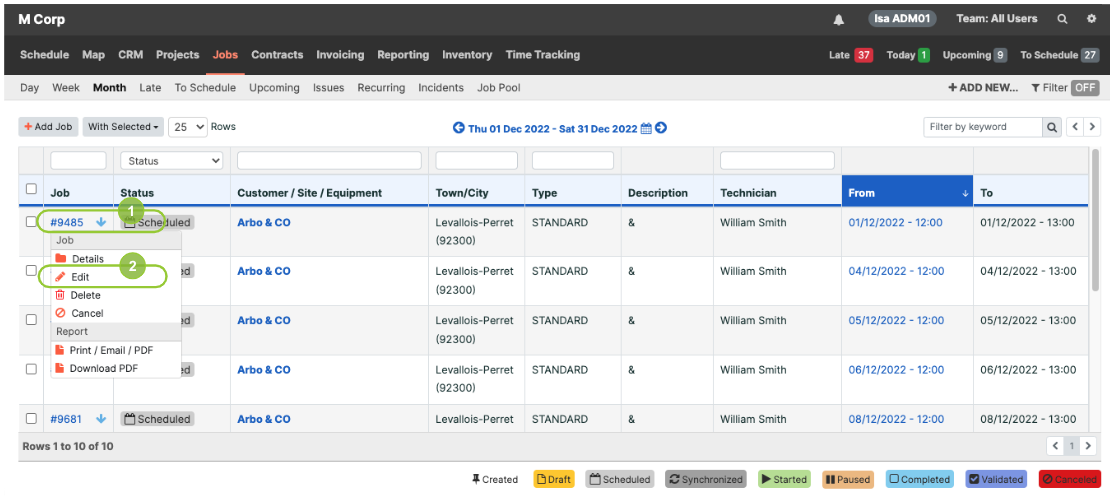
Please note that you can also Edit a job when you go to the Job's "Details".
3. Change the informations you want and click on the "Save" button :
By default the Job inherit the Address and Contact information, but you can remove them in one click on the 2 "Clear" Buttons, and put new information if necessary :
- For the Address (1)
- For the Contact (2)
Editing a Job:
The Job details section allows you to verify the following information:
- Creation date (1)
- Cancellation date (2)